

Wow! Frequency Equalizer Classic Edition
Wow! is an exclusive Photoshop plugin that let you quickly boost or smooth each frequency range. Wow! adds style, image sharpness, and three-dimensionality together with incredibly smooth transitions. Use our easy presets with just one button, or take full control with the high-quality live preview to add and remove details by tweaking our five dedicated sliders.
Wow! under the hood decomposes your images in five different frequency layers, but where are they? Well, they’re hidden: you manipulate them using the sliders. A boost (upward) corresponds to an enhancement of a given band, a cut (downward) corresponds to a reduction. Using presets and/or tweaking the sliders working perceptively, thanks to the high quality and fast preview you can independently control sharpness, local contrast and smoothness in any frequency creating unseen transitions and a unique tonal effect.
Wow! is also available as Pro, Social and Video Edition, all powered by a wavelet-based algorithm, 32bit color depth internal processing and modern CPU optimized code.
- Five bands offer you full control over the spatial frequencies of your images 70%
- Combine smoothing, sharpening and local contrast in one go 85%
- Start from presets and create your own personal look 50%

What is Frequency Separation
Usually one encounters spatial frequency separation for the first time in the field of beauty retouch. To put it as easy as possible, it is a technique which separates the texture of an image from its shape creating two layers, one storing color and luminosity information and the other one, with a very strange look, storing the detail. Activating a curve adjustment layer, restricted to operate on the high-frequency layer only, you can change the detail level of the image by steepening or flattening the curve. The higher the frequency, the more it will affect the image’s details; the lower the frequency, the more it will change the shape.
This the frequency separation technique. It’s very powerful because it acts on a particular spatial frequency; however, it is a time-consuming manual process even if done on only one frequency band that usually is a high/medium high frequency.
Wow! Frequency Equalizer does just the same: instantly decomposes your image in five different frequency bands and allows you to adjust them individually, exactly as we saw in the example, but there are four more frequencies available.

Original

Low frequency blurred layer

High frequency layer
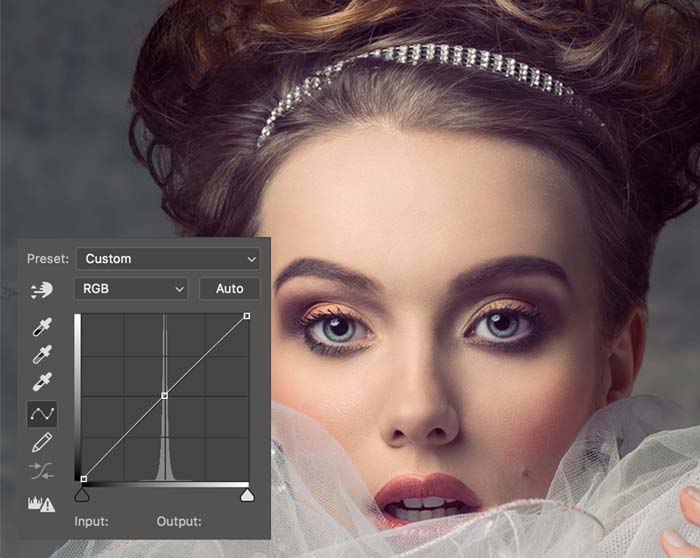
Original
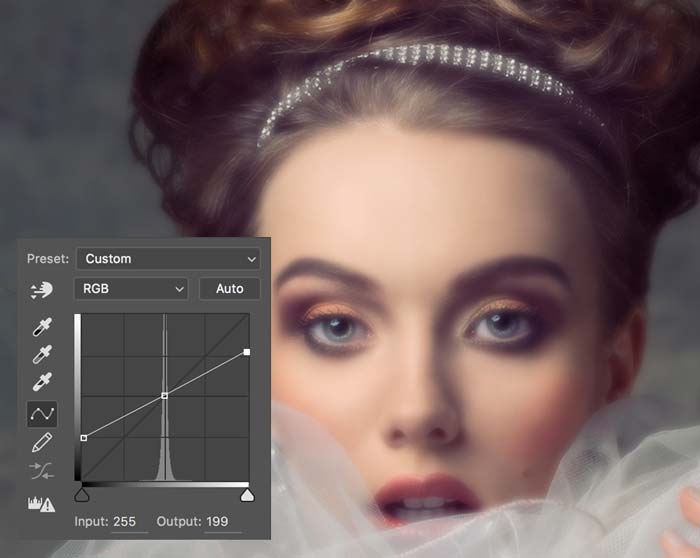
Flat curve clipped ton the High Frequency layer: blur
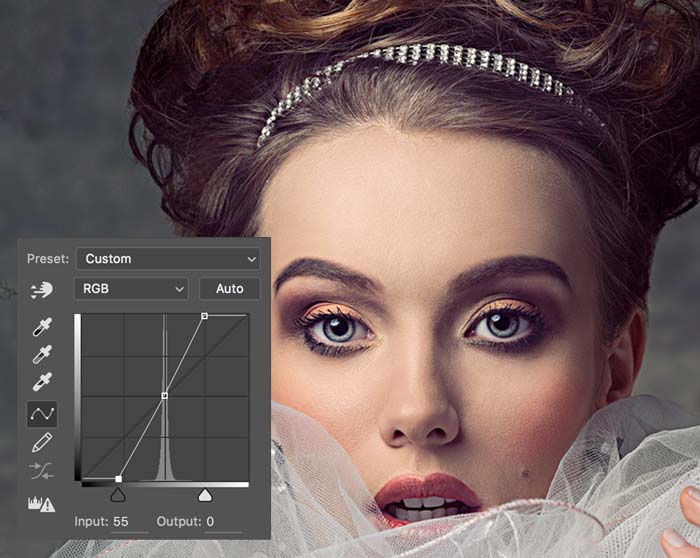
Steep curve applied on the high frequency layer: more sharp

How Wow! Frequency Equalizer Works
Here the Wow! interface. There are two ways you can go. The first: you start tweaking the sliders until you get a satisfactory result. The second, faster and easier: you start from one of the presets enclosed in Wow! According to the chosen prest, the sliders will change their position and set themselves in a given configuration.
The sliders correspond to five spatial frequency bands; left to right, the bands correspond to high frequencies which become progressively lower. If you prefer: detail is on the left, shape is on the right. The intermediate bands work on intermediate scales.
Each slider can be either boosted or cut: a boost corresponds to an enhancement of a given band, a cut corresponds to a reduction. Sliders can be combined, of course, in whatever ratio. The effect may not be easily predictable at times, and it strongly depends on the image you are working on. Also, notice the sixth slider: you may think of it as the intensity of the overall effect, a bit like opacity: 100 is maximum (and the default), and 0 is minimum, corresponding to no effect.

Wow! is a multifaceted tool, its strength focuses on three key areas: as an overall image tuner adding the winning look that we call “The Wow! Factor”, as a quick and efficient skin retouch tool, and as a local contrast enhancer.
The Wow! Factor With Beauty
Some call it “Glossy Glow,” some “Smooth Pop.” We call it the “The Wow Factor” that magical combination of sharpening and smoothing, that adds style, image sharpness, and three-dimensionality together with incredibly smooth transitions and very pleasant skin tones. Wow! doesn’t only minimize blemishes, but with simply one step, it improves the image’s overall tone, smoothness, and brilliance, while enhancing detailed textures like hair, eyelashes, lips, fabrics, jewelry and more.
For example, look at the below before and after. Some skin imperfections remain but the overall effect is far more pleasant, and any further retouching would be much faster and easier.
[soliloquy slug="wow-factor-2"]
Tutorials
- 1.1 Frequency Separation And The Basics Of Wow!
- 1.2 Basic Tutorial
- 1.3 Advanced Tutorial And Masking Techniques
- 1.4 Wow! Frequency Equalizer Pro Edition And Five Bands Decomposing
Wow! is one of my preferred plug-ins!!! And man, I have lots… 🙂
I love the kind of “glossy glow” it can add to the photos…
“Hours have been reduced to seconds in frequency separation with brand new Wow!”

Compatibility, version, and manual
Mac: OSX7 Lion and later, OSX Sierra included
WIN: Vista and later, WIN10 included, 64bit only
Current Version 1.5.0
Read or download the user manual

Wow! Pro Edition. Frequency Separation With Sliders and Editable Layers
The exclusive Decompose function is an exciting new feature of Wow! Frequency Equalizer Pro. You can now explicitly turn each frequency into its pixel layer (five of them are created in a stack, plus a base layer) for a better and more precise frequency based retouching. You can paint, clone and heal on the exact frequency layer that contains the features you need to target, with high precision, giving you unprecedented control over the retouching process..
More great plugins from Know-How Transfer
Our plugins are designed for Photographers and built to make their work easier, faster and more qualitative. To pursue our goals, we removed from applications everything that’s not indispensable, and we made sure that user interfaces are simple yet functional. All our products are powered by by algorithms working internally at 32bit, and work seamlessly on 8, 16, and 32bit.

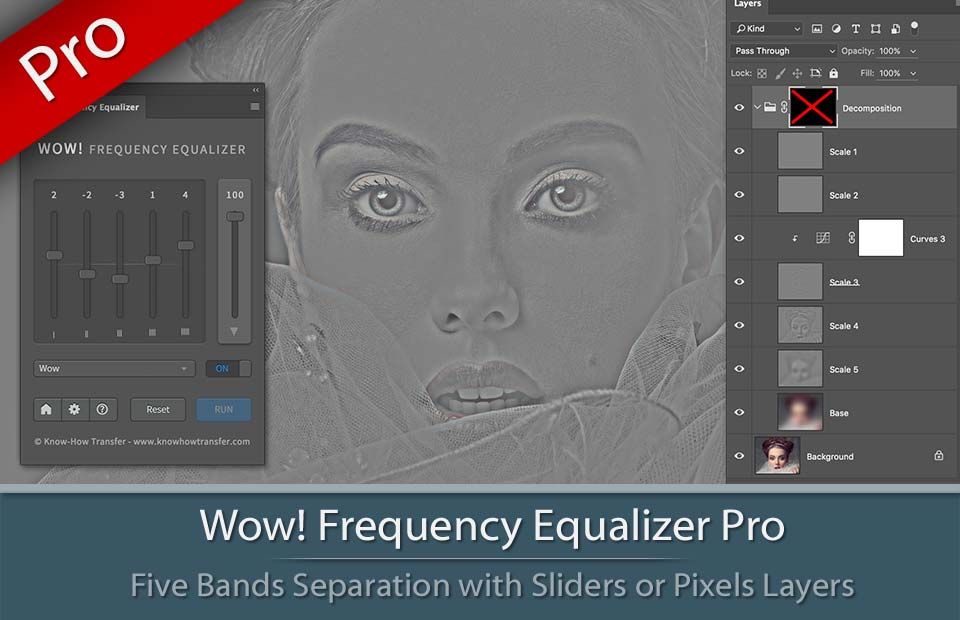

Read more or buy
Read more or buy
Read more or buy